The single most important factor in a stunning AI pet portrait isn't the art style — it's the source photo. Here's exactly what AI portrait generators need to produce faithful, print-worthy results.
How to Choose the Best Photo for an AI Pet Portrait
The single most important factor in getting a stunning AI pet portrait isn't the art style you choose or the platform you use — it's the source photo. Upload the wrong image and even the most sophisticated AI will struggle to capture your pet's likeness. Get it right, and the result can be breathtakingly accurate, personality-rich, and print-worthy.
This guide explains exactly what makes a great source photo for an AI pet portrait: what the algorithms actually need, the common mistakes that ruin results, and how to get the perfect shot from your phone right now.
Why the Source Photo Matters So Much
AI portrait generators work by analyzing your pet's facial features, coat texture, color patterns, and proportions. They need enough visual information to reconstruct your pet's likeness in a new style — whether that's a Renaissance oil painting, a cyberpunk neon render, or a minimalist sketch.
When the source photo is blurry, poorly lit, or has the face partially obscured, the AI is essentially guessing. The output may look like a generic dog or cat rather than your dog or cat.
The platforms that produce the most accurate results — like Pet Moment — even show you which photos are "good," "bad," or have specific issues like "messy background," "face too small," or "no face visible." That feedback loop reflects what the AI actually needs.
What Makes a Great Source Photo: 6 Non-Negotiables
1. The Face Must Be Front and Center
This is the single most important requirement. The AI needs to see your pet's face clearly to build a faithful portrait.
What to look for:
- Face is fully visible, not cropped, turned away, or buried in fur
- Eyes are open and forward-facing (or at least partially visible)
- The face takes up at least 30–40% of the frame
- No other pets or people in the same frame (the AI may pick the wrong subject)
If your pet is always in motion or constantly looks away, try photographing them at rest — during a nap, or the moment after a meal when they tend to be still.

2. Get the Lighting Right
Lighting is where most amateur pet photos fall short. AI portrait generators amplify both the good and bad in lighting — a beautifully lit photo produces a luminous portrait; a dark, shadowy photo produces a muddy one.
The best lighting:
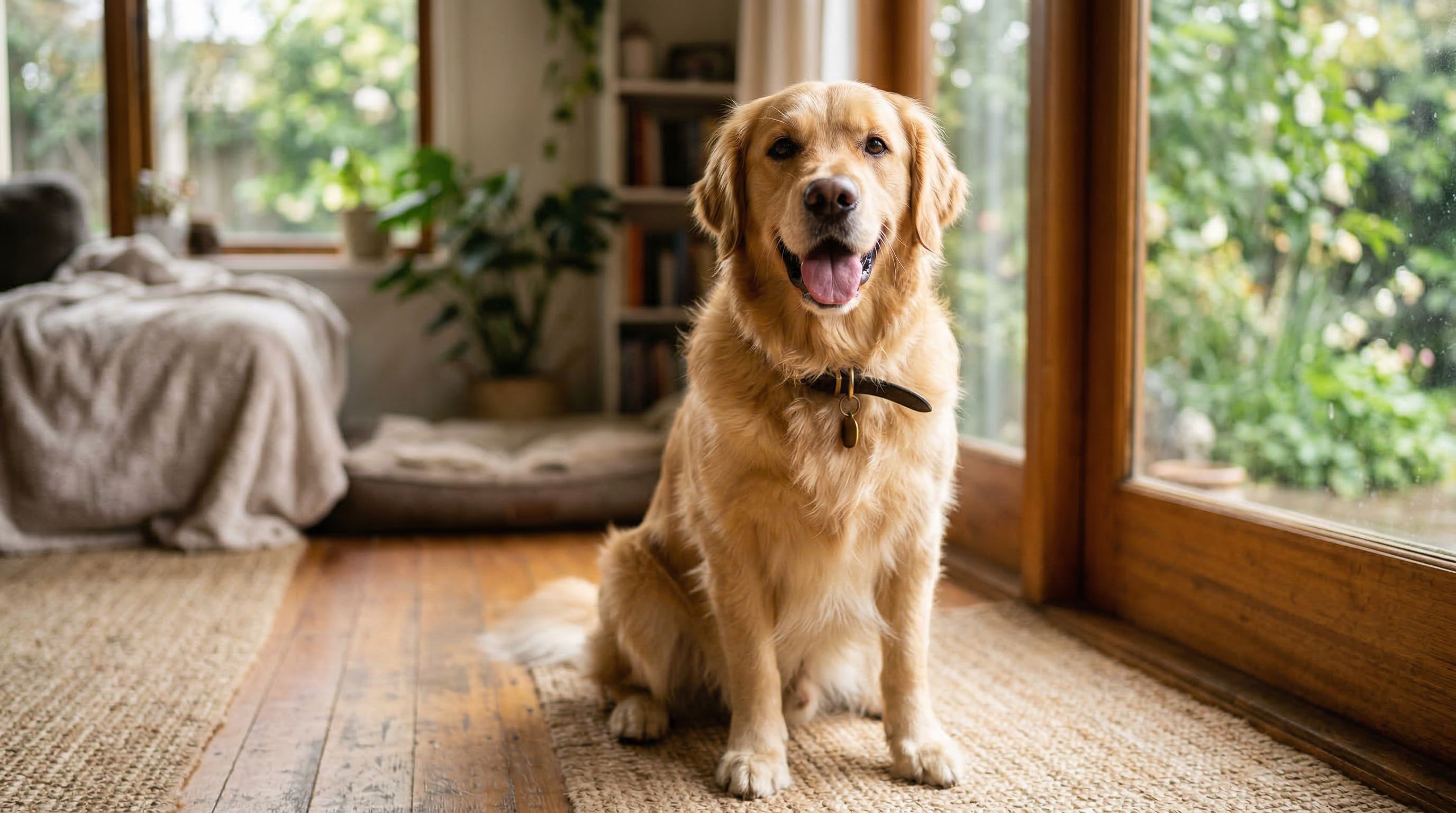
- Natural daylight is ideal. Soft, indirect window light (not direct midday sun) is perfect.
- The golden hour — the hour after sunrise and before sunset — produces warm, flattering light with minimal harsh shadows.
- Overcast days are actually great for pet photography. Clouds act as a giant diffuser, creating even, shadow-free light.
What to avoid:
- Flash photography (creates harsh shadows, red-eye, and washed-out fur)
- Overhead indoor lighting that casts dark shadows under the eyes and muzzle
- Bright backlighting where your pet is silhouetted against a window

3. Keep the Background Simple
A cluttered background doesn't just look messy — it actively confuses AI models trying to isolate your pet. The algorithm needs to clearly distinguish your pet from the surrounding environment.
Good backgrounds:
- Plain walls (white, cream, gray, or any solid color)
- Outdoor settings with natural, soft greenery
- Simple floor textures (hardwood, grass, plain carpet)
Backgrounds to avoid:
- Busy patterns, shelves with objects, or cluttered rooms
- Other pets or people in the frame
- Strong geometric lines that could be mistaken for pet features
You don't need a professional backdrop. A plain wall or a tidy corner of your home works perfectly.
4. Use the Highest Resolution Available
AI portrait generators work better with more pixel data. A high-resolution photo gives the algorithm more detail to work with — sharper fur texture, more accurate eye color, better coat pattern definition.
Practical guidance:
- Use your smartphone camera at its native resolution (don't compress or screenshot)
- Aim for at least 1,000 × 1,000 pixels; 2,000 × 2,000 pixels or higher is ideal
- Avoid screenshots of other photos, which lose resolution at every step
- If you're using an older photo, choose the original file, not a compressed social media version
5. Capture a Natural, Relaxed Expression
The best AI portraits come from photos where your pet looks like themselves — not stressed, not mid-sneeze, not in an awkward pose. A relaxed, natural expression gives the AI a stable reference for your pet's features.
Tips for natural expressions:
- Shoot right after a walk or play session, when your pet is calm but alert
- Use treats or a squeaky toy just above the lens to get their attention toward the camera
- Burst mode (holding down the shutter) captures multiple frames; you'll have more to choose from
- Get down to your pet's eye level — photos taken from above tend to distort proportions

6. Use a Recent Photo That Reflects Their Current Look
Pets change. A photo from three years ago may show a coat that's since been trimmed, a puppy face that's now mature, or markings that have shifted. Use a photo that accurately represents how your pet looks today.
This is especially important for:
- Dogs with seasonal coat changes
- Cats with aging facial markings
- Young pets that change rapidly in their first year
The Common Mistakes That Ruin AI Portrait Results
Even experienced photographers make these errors when submitting photos for AI portrait generation:
| Mistake | Why It's a Problem | Fix |
|---|---|---|
| Blurry or motion-blurred photo | AI can't read facial features | Use burst mode; choose the sharpest frame |
| Face turned to the side | Algorithm loses key facial landmarks | Get pet's attention before shooting |
| Face too small in frame | Insufficient detail for accurate rendering | Move closer or crop the image post-shot |
| Multiple pets in one photo | AI may blend or pick the wrong pet | Photograph pets separately |
| Heavy filters or edits | Alters color accuracy and texture data | Upload the unedited original |
| Dark or underexposed photo | AI guesses at hidden details | Reshoot in better light |
What Happens If Your Photo Isn't Perfect?
The good news: modern AI portrait systems are impressively forgiving. Platforms like Pet Moment's AI generator will flag specific issues with your uploaded photo before you commit — letting you swap in a better image rather than discovering the problem after the fact.
If you absolutely have to work with an imperfect photo (an old photo of a pet who has since passed, for example), choose the best option available and opt for art styles that are more interpretive — impressionist, sketch art, or minimalist styles tend to produce more beautiful results from imperfect source material than hyperrealistic styles, which demand more precise input.
How to Take a Great Pet Photo Right Now
You don't need special equipment. Your smartphone is enough. Here's a quick five-minute routine:
- Find a window. Position your pet so the light falls on their face from the side or slightly in front. Avoid having the window behind them.
- Clear the area. Move clutter, toys, and other pets out of the background.
- Get on their level. Sit or lie down so you're shooting at their eye height.
- Get their attention. Hold a treat just above the lens, say their name, or use a quiet squeaky toy.
- Use burst mode. Hold the shutter for two to three seconds and review the frames. Pick the one with the clearest face and sharpest focus.
- Upload the original. Don't send the edited version, the screenshot, or the compressed social media copy.
That's it. With a good photo in hand, you're ready to create something genuinely beautiful.
Try It With Pet Moment
Pet Moment's AI portrait generator uses your photo to create custom portraits in over 30 art styles — from painterly Renaissance and regal Royal Portrait to playful Toon Classic and cinematic Cyberpunk. The portraits can be printed on canvas, applied to a personalized collar, or transferred to a custom pet bowl.
Upload your best shot at petmoment.ai and see what's possible.